

Out of Condition / Out of Order Diagnostic Flow
Automatic Products AP 203
Out of Condition / Out of Order Diagnostic Flow
This diagnostic path guides you through identifying the root cause when the machine displays an 'Out of Order' status, focusing on common sensor triggers like cup presence or waste levels.
- Water inlet valve remains energized continuously for over 90 seconds during a fill cycle.: Escalate to manufacturer-or-licensed technician. Potential valve failure or critical logic board fault.
- If the issue persists after these checks, or if the diagnostic points toward internal component failure, you must escalate this to a qualified technician.
- For any investigation involving the water inlet valve or logic board faults, contact a qualified technician immediately.
Checklist
Guided Diagnostic Steps
Work from low-risk checks toward technician-level inspection only when evidence supports it.
You can read or print the route now. The first checkbox click opens the service contact gate.
- 1
Visually inspect the main cabinet enclosure for obvious physical dama...
operator-intermediatemediumVisually inspect the main cabinet enclosure for obvious physical damage or obstructions.
Inspection LightDigital MultimeterStop conditions- If the issue persists after these checks, or if the diagnostic points toward internal component failure, you must escalate this to a qualified technician.
- For any investigation involving the water inlet valve or logic board faults, contact a qualified technician immediately.
Expected: Initial condition is documented before deeper diagnosis.
Evidence to note: note
- 2
Confirm that the scrolling display is illuminated and displaying an e...
operator-intermediatemediumConfirm that the scrolling display is illuminated and displaying an error code or message.
Inspection LightDigital MultimeterStop conditions- If the issue persists after these checks, or if the diagnostic points toward internal component failure, you must escalate this to a qualified technician.
- For any investigation involving the water inlet valve or logic board faults, contact a qualified technician immediately.
Expected: Initial condition is documented before deeper diagnosis.
Evidence to note: note
- 3
Check the status of the cup presence sensor.
operator-intermediatemediumCheck the status of the cup presence sensor.
Inspection LightDigital MultimeterStop conditions- If the issue persists after these checks, or if the diagnostic points toward internal component failure, you must escalate this to a qualified technician.
- For any investigation involving the water inlet valve or logic board faults, contact a qualified technician immediately.
Expected: Result is documented before continuing the route.
Evidence to note: note
- 4
Verify the waste receptacle level indicator.
operator-intermediatemediumVerify the waste receptacle level indicator.
Inspection LightDigital MultimeterStop conditions- If the issue persists after these checks, or if the diagnostic points toward internal component failure, you must escalate this to a qualified technician.
- For any investigation involving the water inlet valve or logic board faults, contact a qualified technician immediately.
Expected: Result is documented before continuing the route.
Evidence to note: note
- 5
Review the water tank status display reading.
operator-intermediatemediumReview the water tank status display reading.
Inspection LightDigital MultimeterStop conditions- If the issue persists after these checks, or if the diagnostic points toward internal component failure, you must escalate this to a qualified technician.
- For any investigation involving the water inlet valve or logic board faults, contact a qualified technician immediately.
Expected: Result is documented before continuing the route.
Evidence to note: note
Tools for this route
Location Help
Where to find this
Use this as orientation before touching the machine. It is location help, not a repair instruction.
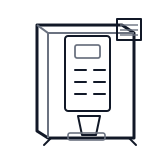
Start at the front door payment column; match the display, keypad, coin, bill, or card device to the symptom before opening deeper panels.
- Monitors physical states such as cup presence, waste bucket levels, water levels, and thermostat states to ensure safe operation.
- Cup present switch
- Waste bucket float switch
- Grounds bucket float switch
cabinet hot beverage delivery bin sensor
 temperature sensor
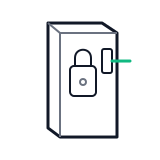 door switch lock
Parts status
Exact public parts list not verified yet. Use this route to identify the system before ordering.
Candidate areas for part verification
Other Possible Issues
Switch routes if this symptom is not the closest match.