

Custom Beverage Configuration Verification
Automatic Products AP 203 Hot Beverage Merchandiser
Custom Beverage Configuration Verification
Verifies that the logic controller software supports custom selections and that the ingredient channels are assigned to the correct physical components without conflict.
- Multiple actuators running simultaneously unexpectedly
Checklist
Guided Diagnostic Steps
Work from low-risk checks toward technician-level inspection only when evidence supports it.
You can read or print the route now. The first checkbox click opens the service contact gate.
- 1
Verify Software EPROM Compatibility
operator-intermediatelowLocate the main logic board and identify the installed software EPROM. Verify the version label supports the intended custom beverage features.
Expected: The installed EPROM version explicitly matches the required version for custom beverage logic.
Evidence to note: photo
- 2
Verify Machine Configuration Options
operator-intermediatemediumEnter the machine configuration mode. Navigate to the option setting that enables custom selections and verify it is activated.
Expected: The configuration setting for the custom beverage is enabled.
Evidence to note: meter-reading
- 3
Review Channel Timing and Assignments
operator-intermediatemediumAccess the ingredient timing mode. Review the start times, durations, and modifiers for the custom beverage channels to ensure no two prime ingredients are scheduled to run simultaneously in a way that causes a mechanical conflict.
Expected: Channel assignments map correctly to the intended physical actuators without timing overlaps on shared circuits.
Evidence to note: meter-reading
- 4
Verify Water Level Sensor Compatibility
operator-intermediatelowCheck the hot water tank area to determine if a legacy mechanical float is installed. If upgrading logic controllers, verify if the software requires an electronic probe instead.
Stop conditions- Visible water damage on harness
Expected: The physical water level sensor matches the required input type for the installed logic board version.
Evidence to note: photo
- 5
Configuration Validated / Corrected
operator-intermediatemediumConfiguration parameters have been verified and adjusted. Test the vend cycle.
Expected: Custom beverage vends correctly.
Evidence to note: meter-reading
- 6
Software Update Required
technician-advancedlowThe installed EPROM does not support the intended configuration. A software update is required.
Expected: Identified incompatible software.
Evidence to note: note
- 7
Sensor Hardware Update Required
technician-advancedlowThe logic board requires an electronic probe for the water tank, but a legacy float was found.
Expected: Identified incompatible water level sensor.
Evidence to note: photo
- 8
Hardware Conflict Suspected
technician-advancedlowConfiguration appears correct, but the machine operates incorrectly. A physical harnessing or board-level hardware fault may be present.
Expected: Escalation to advanced troubleshooting.
Evidence to note: note
Tools for this route
Location Help
Where to find this
Use this as orientation before touching the machine. It is location help, not a repair instruction.
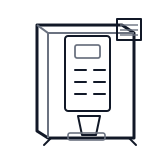
Start at the affected product shelf or selection row; compare the tray, coil, and product path with a nearby working selection.
- Houses the main microprocessor, software EPROM, and configuration switches that orchestrate vend sequences and ingredient timing.
- Main logic board
- Software EPROM chip
- Configuration DIP switches (if applicable)
Do not open energized or protected electrical areas unless a qualified technician or licensed electrician is handling the work.
cabinet hot beverage control board generic
 vend motor
 delivery bin sensor
Parts status
Exact public parts list not verified yet. Use this route to identify the system before ordering.
Candidate areas for part verification
Other Possible Issues
Switch routes if this symptom is not the closest match.