

Single Column Vend Failure
Dixie-Narco 5592
Single Column Vend Failure
This guide helps troubleshoot why only one specific product dispensing column is failing while all other columns are operating normally.
Qualified technician handoff: stop before live electrical testing, sealed-system refrigeration work, compressor service, or protected-compartment access unless a qualified technician is handling the work.
- Multiple columns failing simultaneously after one column repair: Stop and investigate common cause — likely harness or controller issue rather than individual motors
- Motor smoking or burning smell: Immediately unplug machine. Replace motor and investigate harness for damage before re-energizing.
- If troubleshooting involves replacing or testing the motor, or if the failure suggests a common harness issue, a qualified technician should perform the repair.
- If the issue requires re-energizing after motor replacement, a qualified technician must verify all connections are secure before proceeding.
Checklist
Guided Diagnostic Steps
Work from low-risk checks toward technician-level inspection only when evidence supports it.
You can read or print the route now. The first checkbox click opens the service contact gate.
- 1
Visually inspect the motor and immediate wiring connection for the fa...
operator-intermediatehighVisually inspect the motor and immediate wiring connection for the failing column.
Digital MultimeterFlashlight or Work LightStop conditions- If troubleshooting involves replacing or testing the motor, or if the failure suggests a common harness issue, a qualified technician should perform the repair.
- If the issue requires re-energizing after motor replacement, a qualified technician must verify all connections are secure before proceeding.
Expected: Initial condition is documented before deeper diagnosis.
Evidence to note: note
- 2
Check the physical path of the product pusher mechanism for any visib...
operator-intermediatehighCheck the physical path of the product pusher mechanism for any visible obstructions or misalignment.
Digital MultimeterFlashlight or Work LightStop conditions- If troubleshooting involves replacing or testing the motor, or if the failure suggests a common harness issue, a qualified technician should perform the repair.
- If the issue requires re-energizing after motor replacement, a qualified technician must verify all connections are secure before proceeding.
Expected: Initial condition is documented before deeper diagnosis.
Evidence to note: note
- 3
Immediately unplug machine if motor smoking or burning smell is detec...
operator-intermediatehighImmediately unplug machine if motor smoking or burning smell is detected.
Digital MultimeterFlashlight or Work LightStop conditions- If troubleshooting involves replacing or testing the motor, or if the failure suggests a common harness issue, a qualified technician should perform the repair.
- If the issue requires re-energizing after motor replacement, a qualified technician must verify all connections are secure before proceeding.
Expected: Result is documented before continuing the route.
Evidence to note: note
- 4
Replace motor and investigate harness for damage before re-energizing.
operator-intermediatehighReplace motor and investigate harness for damage before re-energizing.
Digital MultimeterFlashlight or Work LightStop conditions- If troubleshooting involves replacing or testing the motor, or if the failure suggests a common harness issue, a qualified technician should perform the repair.
- If the issue requires re-energizing after motor replacement, a qualified technician must verify all connections are secure before proceeding.
Expected: Result is documented before continuing the route.
Evidence to note: note
- 5
Check the motor's physical connection point to ensure it is secure.
operator-intermediatehighCheck the motor's physical connection point to ensure it is secure.
Digital MultimeterFlashlight or Work LightStop conditions- If troubleshooting involves replacing or testing the motor, or if the failure suggests a common harness issue, a qualified technician should perform the repair.
- If the issue requires re-energizing after motor replacement, a qualified technician must verify all connections are secure before proceeding.
Expected: Result is documented before continuing the route.
Evidence to note: note
- 6
Confirm the column's internal mechanism is free to move by hand (with...
operator-intermediatehighConfirm the column's internal mechanism is free to move by hand (with power off).
Digital MultimeterFlashlight or Work LightStop conditions- If troubleshooting involves replacing or testing the motor, or if the failure suggests a common harness issue, a qualified technician should perform the repair.
- If the issue requires re-energizing after motor replacement, a qualified technician must verify all connections are secure before proceeding.
Expected: Result is documented before continuing the route.
Evidence to note: note
- 7
If multiple columns fail after one repair, stop and investigate commo...
operator-intermediatehighIf multiple columns fail after one repair, stop and investigate common causes like the main harness or controller.
Digital MultimeterFlashlight or Work LightStop conditions- If troubleshooting involves replacing or testing the motor, or if the failure suggests a common harness issue, a qualified technician should perform the repair.
- If the issue requires re-energizing after motor replacement, a qualified technician must verify all connections are secure before proceeding.
Expected: Result is documented before continuing the route.
Evidence to note: note
Tools for this route
Location Help
Where to find this
Use this as orientation before touching the machine. It is location help, not a repair instruction.
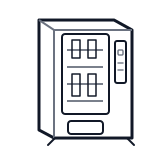
Start at the affected product shelf or selection row; compare the tray, coil, and product path with a nearby working selection.
- Holds up to 45 product facings in refrigerated space, supports multi-pricing by column and space-to-sales programming
- Column dividers
- product pushers or shelves
- column motors
Do not open protected compartments unless a qualified technician is handling the work.
cabinet drink wiring harness
 vend motor
Parts status
Exact public parts list not verified yet. Use this route to identify the system before ordering.
Candidate areas for part verification
Other Possible Issues
Switch routes if this symptom is not the closest match.