

Coin Acceptance Failure Diagnostic Flow
Dixie-Narco DN37
Coin Acceptance Failure Diagnostic Flow
This process systematically checks the physical condition of the coin acceptor, its connections, and its ability to report errors to isolate payment acceptance problems.
- excessive-escrow-error-or-repeated-jam: schedule-acceptor-replacement-or-professional-cleaning
- If basic cleaning and connection checks fail to resolve the issue, professional service from a qualified technician is required to diagnose the payment port or acceptor unit.
Checklist
Guided Diagnostic Steps
Work from low-risk checks toward technician-level inspection only when evidence supports it.
You can read or print the route now. The first checkbox click opens the service contact gate.
- 1
With machine power off, open the door and examine the coin acceptor p...
operator-intermediatelowWith machine power off, open the door and examine the coin acceptor path for stuck coins, debris, or foreign objects.
Stop conditions- If basic cleaning and connection checks fail to resolve the issue, professional service from a qualified technician is required to diagnose the payment port or acceptor unit.
Expected: Initial condition is documented before deeper diagnosis.
Evidence to note: note
- 2
With machine power off, locate the coin acceptor harness connector. D...
operator-intermediatelowWith machine power off, locate the coin acceptor harness connector. Disconnect and firmly reconnect it ensuring full seating.
Stop conditions- If basic cleaning and connection checks fail to resolve the issue, professional service from a qualified technician is required to diagnose the payment port or acceptor unit.
Expected: Initial condition is documented before deeper diagnosis.
Evidence to note: note
- 3
With machine power off, open the door and examine the coin acceptor p...
operator-intermediatelowWith machine power off, open the door and examine the coin acceptor path for stuck coins, debris, or foreign objects. Gently clear any obstruction with a soft cloth.
Stop conditions- If basic cleaning and connection checks fail to resolve the issue, professional service from a qualified technician is required to diagnose the payment port or acceptor unit.
Expected: Result is documented before continuing the route.
Evidence to note: note
- 4
With machine power off, locate the coin acceptor harness connector. D...
operator-intermediatelowWith machine power off, locate the coin acceptor harness connector. Disconnect and firmly reconnect it ensuring full seating.
Stop conditions- If basic cleaning and connection checks fail to resolve the issue, professional service from a qualified technician is required to diagnose the payment port or acceptor unit.
Expected: Result is documented before continuing the route.
Evidence to note: note
- 5
Power on the machine and insert test coins of various denominations....
operator-intermediatelowPower on the machine and insert test coins of various denominations. Observe whether coins are accepted and credit registers on the display.
Stop conditions- If basic cleaning and connection checks fail to resolve the issue, professional service from a qualified technician is required to diagnose the payment port or acceptor unit.
Expected: Result is documented before continuing the route.
Evidence to note: note
- 6
Coin acceptor is operating normally after cleaning and reseating. If...
operator-intermediatelowCoin acceptor is operating normally after cleaning and reseating. If errors return, note any error codes for technician.
Stop conditions- If basic cleaning and connection checks fail to resolve the issue, professional service from a qualified technician is required to diagnose the payment port or acceptor unit.
Expected: Result is documented before continuing the route.
Evidence to note: note
- 7
Basic cleaning and connection check did not resolve the issue. A tech...
operator-intermediatelowBasic cleaning and connection check did not resolve the issue. A technician should diagnose controller payment port, acceptor replacement, or error code interpretation.
Stop conditions- If basic cleaning and connection checks fail to resolve the issue, professional service from a qualified technician is required to diagnose the payment port or acceptor unit.
Expected: Result is documented before continuing the route.
Evidence to note: note
Tools for this route
Location Help
Where to find this
Use this as orientation before touching the machine. It is location help, not a repair instruction.
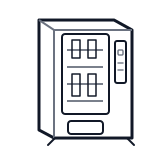
Start at the front door payment column; match the display, keypad, coin, bill, or card device to the symptom before opening deeper panels.
- Accepts and validates coins and bills, communicates credit to the controller, and manages escrow logic.
- coin-acceptor
- coin-chute
- bill-validator-if-equipped
cabinet drink control board generic
 wiring harness
 payment column
Parts status
Exact public parts list not verified yet. Use this route to identify the system before ordering.
Candidate areas for part verification
Other Possible Issues
Switch routes if this symptom is not the closest match.