

Deep no-power diagnosis for GPL-480
GPL GPL 480
Deep no-power diagnosis for GPL-480
Escalating diagnostic flow when the wall outlet is confirmed live, the power switch is ON, and the power cord appears undamaged, but the machine remains unresponsive.
Qualified technician handoff: stop before live electrical testing, sealed-system refrigeration work, compressor service, or protected-compartment access unless a qualified technician is handling the work.
- Live voltage reading at panel input but no output downstream: Stop all work. Tag machine as electrically unsafe. Escalate to licensed electrician or manufacturer service.
- Signs of arcing, melted connectors, or heat damage: Disconnect power immediately. Do not restore. Document with photos and escalate.
Checklist
Guided Diagnostic Steps
Work from low-risk checks toward technician-level inspection only when evidence supports it.
You can read or print the route now. The first checkbox click opens the service contact gate.
- 1
Check power panel fuse or circuit protection
technician-advancedhighWith the machine disconnected from wall power, locate the power panel assembly. Inspect the fuse holder for signs of blown fuse, discoloration, or heat marks. If a multimeter is available and you are trained, check continuity across the fuse.
Digital multimeterFlashlight or work lightStop conditions- Fuse holder shows heat damage or melting — do not replace fuse, escalate
- Multiple fuses blown repeatedly — investigate short circuit before replacing
Expected: Fuse shows continuity (good) or open circuit (blown). No signs of heat damage on holder.
Evidence to note: meter-reading
- 2
Verify main toggle switch function
technician-advancedhighWith power disconnected, check the main power toggle switch on the power panel for mechanical feel. It should click firmly between positions. If trained and using a multimeter, verify switch continuity in the ON position.
Digital multimeterStop conditions- Switch feels loose, arced, or hot — replace switch, do not reuse
Expected: Switch toggles firmly with clear detent. Continuity passes in ON position.
Evidence to note: meter-reading
- 3
Inspect and test main toggle switch
technician-advancedhighRemove power. Examine the toggle switch for physical damage, loose mounting, or signs of overheating. If qualified, test continuity through the switch in both positions.
Digital multimeterFlashlight or work lightStop conditions- Visible arcing damage on switch terminals
Expected: Switch operates correctly with solid detent and proper continuity.
Evidence to note: meter-reading
- 4
Check shared power to monetary panel
technician-advancedtechnicianPower off the machine. Inspect the monetary panel harness connections for loose, corroded, or damaged connectors. With power restored and if qualified, check for voltage supply at the monetary panel power input.
Digital multimeterFlashlight or work lightStop conditions- Visible wire damage or burned connectors — do not apply power, hand off
Expected: Secure connections with no corrosion. Voltage present at monetary panel input.
Evidence to note: meter-reading
- 5
Verify payment communication bus
technician-advancedtechnicianWith power off, inspect the data communication connections between the controller and the monetary panel. Look for bent pins, loose connectors, or corrosion. Do not probe live data lines without proper training.
Flashlight or work lightStop conditions- Controller or monetary board shows damage — hand off
Expected: All communication connectors seated securely with no visible damage.
Evidence to note: photo
- 6
Clear product jam from tray
operator-intermediatelowPower off the machine. Carefully remove the jammed product. Inspect the spiral and tray for damage or misalignment. Ensure product is loaded correctly per tray capacity.
Stop conditions- Spiral physically deformed or broken — replace tray assembly
Expected: Product removed, spiral and tray undamaged and properly aligned.
Evidence to note: photo
- 7
Check refrigeration airflow and condenser cleanliness
operator-intermediatelowWith machine powered off, inspect the condenser area for dust buildup. Verify adequate clearance around all cabinet vents. Remove any obstructions. Gently clean the condenser fins if accessible.
Qualified technician handoff: stop before live electrical testing, sealed-system refrigeration work, compressor service, or protected-compartment access unless a qualified technician is handling the work.
Flashlight or work lightSoft bristle brushStop conditions- Condenser fins damaged or refrigerant line abrasion visible — stop, do not touch lines, hand off to licensed technician
Expected: Condenser fins visibly clean, vents unobstructed, proper clearance maintained.
Evidence to note: photo
- 8
Inspect door seal / gasket condition
operator-intermediatelowClose the door on a dollar bill at multiple points around the perimeter. The bill should have slight resistance when pulled. Check for tears, permanent compression, or gaps in the gasket.
Stop conditions- Door itself is warped or hinges bent — gasket replacement alone will not fix, hand off
Expected: Gasket provides even seal around entire door perimeter with no gaps.
Evidence to note: note
- 9
Verify temperature sensor reading is plausible
operator-intermediatelowCompare the displayed or controller-reported temperature against a separate thermometer placed inside the cabinet. Allow time for stabilization. Readings should be within a few degrees of each other.
Independent thermometerStop conditions- Temperature far out of food-safe range — remove perishable product and escalate immediately
Expected: Controller temperature reading and independent thermometer agree within a reasonable tolerance.
Evidence to note: meter-reading
- 10
Assess compressor run state
operator-intermediatelowListen to the compressor. It should have a steady hum when running. Check if it cycles on and off or runs continuously. Feel the compressor housing carefully — it should be warm, not dangerously hot.
Qualified technician handoff: stop before live electrical testing, sealed-system refrigeration work, compressor service, or protected-compartment access unless a qualified technician is handling the work.
Stop conditions- Compressor making loud clicking, grinding, or rattling — power off and hand off to licensed technician
- Compressor housing extremely hot to touch — power off and allow to cool, then hand off
- Oily residue near compressor — possible refrigerant leak, ventilate area, hand off
Expected: Compressor runs with steady sound, cycles appropriately, housing warm but not excessively hot.
Evidence to note: note
- 11
Inspect door latch mechanism
operator-intermediatelowExamine the latch lever and lock pivot area for wear, bending, or foreign debris. Ensure the latch engages the strike plate fully. Clean any debris.
Flashlight or work lightStop conditions- Lock cylinder appears tampered or drilled — secure machine and escalate
Expected: Latch moves freely and engages strike plate completely.
Evidence to note: photo
- 12
Inspect door hinges and alignment
operator-intermediatelowCheck hinge mounting for loose hardware. Verify the door swings freely without binding. Look for worn hinge pins or elongated mounting holes.
Flashlight or work lightScrewdriver set (Phillips and flathead)Stop conditions- Door glass cracked near hinge — secure and hand off
Expected: Hinges tight, door swings freely and aligns with cabinet opening evenly.
Evidence to note: photo
Tools for this route
Location Help
Where to find this
Use this as orientation before touching the machine. It is location help, not a repair instruction.
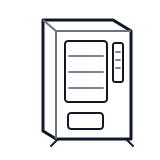
Start outside the machine at the outlet and cord, then identify the power entry area before any protected-compartment inspection.
- Wall outlet, power cord, power entry, and terminal area
Do not open energized or protected electrical areas unless a qualified technician or licensed electrician is handling the work.
cabinet generic delivery bin sensor
 power supply
 terminal block
Parts status
Exact public parts list not verified yet. Use this route to identify the system before ordering.
Candidate areas for part verification
Other Possible Issues
Switch routes if this symptom is not the closest match.