

Controller Type Identification
Other Other 4pr6col6sel 168 Amp 276
Controller Type Identification
This step involves examining the machine's control panel and display to accurately determine which generation or family of control board is installed.
- If the controller type cannot be definitively identified through visual inspection, service must be escalated to a qualified technician for accurate diagnosis.
Checklist
Guided Diagnostic Steps
Work from low-risk checks toward technician-level inspection only when evidence supports it.
You can read or print the route now. The first checkbox click opens the service contact gate.
- 1
Observe the display unit to note its general appearance (e.g., LED vs...
operator-intermediatelowObserve the display unit to note its general appearance (e.g., LED vs. fluorescent).
Flashlight or Work LightNotebook or Service LogStop conditions- If the controller type cannot be definitively identified through visual inspection, service must be escalated to a qualified technician for accurate diagnosis.
Expected: Initial condition is documented before deeper diagnosis.
Evidence to note: note
- 2
Check the physical location and labeling of the main control board ho...
operator-intermediatelowCheck the physical location and labeling of the main control board housing.
Flashlight or Work LightNotebook or Service LogStop conditions- If the controller type cannot be definitively identified through visual inspection, service must be escalated to a qualified technician for accurate diagnosis.
Expected: Initial condition is documented before deeper diagnosis.
Evidence to note: note
- 3
Observe the display unit to note its general appearance.
operator-intermediatelowObserve the display unit to note its general appearance.
Flashlight or Work LightNotebook or Service LogStop conditions- If the controller type cannot be definitively identified through visual inspection, service must be escalated to a qualified technician for accurate diagnosis.
Expected: Result is documented before continuing the route.
Evidence to note: note
- 4
Check the physical location and labeling of the main control board ho...
operator-intermediatelowCheck the physical location and labeling of the main control board housing.
Flashlight or Work LightNotebook or Service LogStop conditions- If the controller type cannot be definitively identified through visual inspection, service must be escalated to a qualified technician for accurate diagnosis.
Expected: Result is documented before continuing the route.
Evidence to note: note
- 5
If the controller type is unclear, consult service documentation or e...
operator-intermediatelowIf the controller type is unclear, consult service documentation or escalate to a qualified technician for identification.
Flashlight or Work LightNotebook or Service LogStop conditions- If the controller type cannot be definitively identified through visual inspection, service must be escalated to a qualified technician for accurate diagnosis.
Expected: Result is documented before continuing the route.
Evidence to note: note
Tools for this route
Location Help
Where to find this
Use this as orientation before touching the machine. It is location help, not a repair instruction.
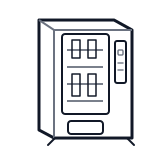
Start at the front door payment column; match the display, keypad, coin, bill, or card device to the symptom before opening deeper panels.
- Central logic system managing vend sequences, refrigeration control, payment validation, and sales data. This machine may use one of two controller families depending on display type.
- Main controller board
- Controller housing
- Firmware chip or module
Do not open sealed-system or compressor areas unless a qualified refrigeration technician is handling the work.
cabinet drink control board generic
 payment column
 display keypad
Parts status
Exact public parts list not verified yet. Use this route to identify the system before ordering.
Candidate areas for part verification
Other Possible Issues
Switch routes if this symptom is not the closest match.