

Single Column Fails to Vend
Royal Vendors Electromechanical Vendor
Single Column Fails to Vend
This section details troubleshooting when the machine powers on, but only one specific product selection fails to dispense while others operate normally.
- Same column jams repeatedly after clearing: Investigate column dimensions, product size compatibility, and mechanism wear before returning to service.
- If the mechanism does not move freely after clearing product, a qualified technician must inspect for bent linkages or internal binding.
- If the issue persists after clearing, a qualified technician should assess the column's mechanical integrity.
Checklist
Guided Diagnostic Steps
Work from low-risk checks toward technician-level inspection only when evidence supports it.
You can read or print the route now. The first checkbox click opens the service contact gate.
- 1
Ensure the machine is unplugged or the power switch is off before tou...
operator-intermediatelowEnsure the machine is unplugged or the power switch is off before touching the mechanism.
Flashlight or Work LightStop conditions- If the mechanism does not move freely after clearing product, a qualified technician must inspect for bent linkages or internal binding.
- If the issue persists after clearing, a qualified technician should assess the column's mechanical integrity.
Expected: Initial condition is documented before deeper diagnosis.
Evidence to note: note
- 2
Carefully remove any visible product jams from the affected column.
operator-intermediatelowCarefully remove any visible product jams from the affected column.
Flashlight or Work LightStop conditions- If the mechanism does not move freely after clearing product, a qualified technician must inspect for bent linkages or internal binding.
- If the issue persists after clearing, a qualified technician should assess the column's mechanical integrity.
Expected: Initial condition is documented before deeper diagnosis.
Evidence to note: note
- 3
Unplug the machine or ensure the power switch is off.
operator-intermediatelowUnplug the machine or ensure the power switch is off.
Flashlight or Work LightStop conditions- If the mechanism does not move freely after clearing product, a qualified technician must inspect for bent linkages or internal binding.
- If the issue persists after clearing, a qualified technician should assess the column's mechanical integrity.
Expected: Result is documented before continuing the route.
Evidence to note: note
- 4
Remove any jammed product from the affected column.
operator-intermediatelowRemove any jammed product from the affected column.
Flashlight or Work LightStop conditions- If the mechanism does not move freely after clearing product, a qualified technician must inspect for bent linkages or internal binding.
- If the issue persists after clearing, a qualified technician should assess the column's mechanical integrity.
Expected: Result is documented before continuing the route.
Evidence to note: note
- 5
Inspect the linkage area for any visible damage or obstruction.
operator-intermediatelowInspect the linkage area for any visible damage or obstruction.
Flashlight or Work LightStop conditions- If the mechanism does not move freely after clearing product, a qualified technician must inspect for bent linkages or internal binding.
- If the issue persists after clearing, a qualified technician should assess the column's mechanical integrity.
Expected: Result is documented before continuing the route.
Evidence to note: note
- 6
Restore power and attempt a test vend on the affected column.
operator-intermediatelowRestore power and attempt a test vend on the affected column.
Flashlight or Work LightStop conditions- If the mechanism does not move freely after clearing product, a qualified technician must inspect for bent linkages or internal binding.
- If the issue persists after clearing, a qualified technician should assess the column's mechanical integrity.
Expected: Result is documented before continuing the route.
Evidence to note: note
Tools for this route
Location Help
Where to find this
Use this as orientation before touching the machine. It is location help, not a repair instruction.
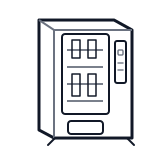
Start at the affected product shelf or selection row; compare the tray, coil, and product path with a nearby working selection.
- Mechanical assembly that physically selects and dispenses a product from the correct column when the customer activates a selection.
- Vend mechanism assemblies per column
- Column selection linkages
- Product support trays or shelves
cabinet drink display keypad
 vend motor
Parts status
Exact public parts list not verified yet. Use this route to identify the system before ordering.
Candidate areas for part verification
Other Possible Issues
Switch routes if this symptom is not the closest match.