

Display Blank with Power Present
Royal Vendors GIII Plus Vender
Display Blank with Power Present
This issue addresses situations where the machine appears powered on (e.g., fans running) but the display screen remains completely dark.
Qualified technician handoff: stop before live electrical testing, sealed-system refrigeration work, compressor service, or protected-compartment access unless a qualified technician is handling the work.
- Visible burn marks or bulging components on controller board: stop-and-escalate
- Diagnosing display failures often involves low-voltage electronics, so a qualified technician must perform these checks.
- If the issue persists after basic checks, a qualified technician specializing in display electronics is required.
Checklist
Guided Diagnostic Steps
Work from low-risk checks toward technician-level inspection only when evidence supports it.
You can read or print the route now. The first checkbox click opens the service contact gate.
- 1
Confirm that other components, like the cooling fan, are actively run...
operator-intermediatehighConfirm that other components, like the cooling fan, are actively running.
Stop conditions- Diagnosing display failures often involves low-voltage electronics, so a qualified technician must perform these checks.
- If the issue persists after basic checks, a qualified technician specializing in display electronics is required.
Expected: Initial condition is documented before deeper diagnosis.
Evidence to note: note
- 2
Check the main controller unit for any visible signs of overheating o...
operator-intermediatehighCheck the main controller unit for any visible signs of overheating or damage.
Stop conditions- Diagnosing display failures often involves low-voltage electronics, so a qualified technician must perform these checks.
- If the issue persists after basic checks, a qualified technician specializing in display electronics is required.
Expected: Initial condition is documented before deeper diagnosis.
Evidence to note: note
- 3
Inspect the display connection harness for any signs of strain or dis...
operator-intermediatehighInspect the display connection harness for any signs of strain or disconnection.
Stop conditions- Diagnosing display failures often involves low-voltage electronics, so a qualified technician must perform these checks.
- If the issue persists after basic checks, a qualified technician specializing in display electronics is required.
Expected: Result is documented before continuing the route.
Evidence to note: note
- 4
Test the low-voltage power output to the display module for a qualifi...
operator-intermediatehighTest the low-voltage power output to the display module for a qualified technician.
Stop conditions- Diagnosing display failures often involves low-voltage electronics, so a qualified technician must perform these checks.
- If the issue persists after basic checks, a qualified technician specializing in display electronics is required.
Expected: Result is documented before continuing the route.
Evidence to note: note
- 5
Check the main controller board status indicators.
operator-intermediatehighCheck the main controller board status indicators.
Stop conditions- Diagnosing display failures often involves low-voltage electronics, so a qualified technician must perform these checks.
- If the issue persists after basic checks, a qualified technician specializing in display electronics is required.
Expected: Result is documented before continuing the route.
Evidence to note: note
Tools for this route
Location Help
Where to find this
Use this as orientation before touching the machine. It is location help, not a repair instruction.
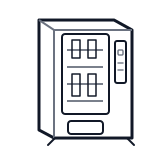
Start at the front door payment column; match the display, keypad, coin, bill, or card device to the symptom before opening deeper panels.
- Receives main AC power from the wall outlet and distributes it through the machine's electrical system.
- Power cord
- Terminal block or power entry
- Main fuse or circuit breaker
Do not open energized or protected electrical areas unless a qualified technician or licensed electrician is handling the work.
cabinet drink payment column
 display keypad
 power supply
Parts status
Exact public parts list not verified yet. Use this route to identify the system before ordering.
Candidate areas for part verification
Other Possible Issues
Switch routes if this symptom is not the closest match.