

Not Cooling — Compressor Does Not Run
Royal Vendors Merlin IV Plu
Not Cooling — Compressor Does Not Run
Systematic diagnosis when the cabinet is warm and the compressor shows no signs of running.
Qualified technician handoff: stop before live electrical testing, sealed-system refrigeration work, compressor service, or protected-compartment access unless a qualified technician is handling the work.
- Compressor hot, humming, but not starting: Unplug immediately to prevent compressor burnout. Escalate to manufacturer-or-licensed sealed-system technician.
- Refrigerant oil visible on components or floor: Sealed system integrity compromised. Do not operate. Escalate to EPA-certified refrigeration technician.
Checklist
Guided Diagnostic Steps
Work from low-risk checks toward technician-level inspection only when evidence supports it.
You can read or print the route now. The first checkbox click opens the service contact gate.
- 1
Verify thermostat or temperature control setting
operator-intermediatelowCheck that the temperature control is set to a cooling position and has not been turned off or set too warm.
Expected: Thermostat is set within normal cooling range.
Evidence to note: photo
- 2
Check condenser area for blockage
operator-intermediatelowWith the machine unplugged, inspect the condenser coil area at the bottom of the cabinet. Remove any accumulated dust, lint, or debris. Verify the condenser fan blade can spin freely.
Qualified technician handoff: stop before live electrical testing, sealed-system refrigeration work, compressor service, or protected-compartment access unless a qualified technician is handling the work.
Expected: Condenser coils are clean and fan blade rotates without obstruction.
Evidence to note: photo
- 3
Inspect door gasket seal
operator-intermediatelowClose the door on a dollar bill at several points around the perimeter. The bill should have slight resistance when pulled. Areas with no resistance indicate a gap.
Expected: Door gasket seals uniformly around the entire perimeter.
Evidence to note: note
- 4
Check for power at compressor terminals
technician-advancedlive-voltageWith the machine plugged in and thermostat calling for cooling, measure voltage at the compressor terminals. This requires working near live electrical components.
Qualified technician handoff: stop before live electrical testing, sealed-system refrigeration work, compressor service, or protected-compartment access unless a qualified technician is handling the work.
Stop conditions- Compressor extremely hot with humming sound — unplug to prevent burnout
- Any sign of refrigerant oil leak — sealed system work required, escalate
Expected: Correct line voltage present at compressor terminals when thermostat calls for cooling.
Evidence to note: meter-reading
Tools for this route
Location Help
Where to find this
Use this as orientation before touching the machine. It is location help, not a repair instruction.
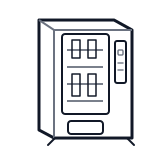
Start at the customer delivery bin and product drop path; clear visible product and debris before moving to internal checks.
- Confirms that a product has successfully dropped into the delivery bin, allowing the vend cycle to complete or triggering a retry or refund.
- Optical sensor or proximity sensor
- Sensor harness
- Reflector or beam baffle
Do not open sealed-system or compressor areas unless a qualified refrigeration technician is handling the work.
cabinet drink wiring harness
 vend motor
 delivery bin
Parts status
Exact public parts list not verified yet. Use this route to identify the system before ordering.
Candidate areas for part verification
Other Possible Issues
Switch routes if this symptom is not the closest match.