

Price Setting Verification and Correction
VendnetUSA 2097 / 2098 / 2099
Price Setting Verification and Correction
This guide walks you through the process of confirming and adjusting the cost of items using the machine's built-in service menu, without needing to open the main cabinet enclosure.
- This process is generally safe for trained operators, but if the service mode is inaccessible or unresponsive, a qualified technician should be called.
- If the keypad fails to enter or maintain service mode, a qualified technician should check the controller board connections.
Checklist
Guided Diagnostic Steps
Work from low-risk checks toward technician-level inspection only when evidence supports it.
You can read or print the route now. The first checkbox click opens the service contact gate.
- 1
Locate the service mode switch on the controller board.
operator-intermediatelowLocate the service mode switch on the controller board.
Stop conditions- This process is generally safe for trained operators, but if the service mode is inaccessible or unresponsive, a qualified technician should be called.
- If the keypad fails to enter or maintain service mode, a qualified technician should check the controller board connections.
Expected: Initial condition is documented before deeper diagnosis.
Evidence to note: note
- 2
On the selector keypad, press the designated key to enter price progr...
operator-intermediatelowOn the selector keypad, press the designated key to enter price programming mode.
Stop conditions- This process is generally safe for trained operators, but if the service mode is inaccessible or unresponsive, a qualified technician should be called.
- If the keypad fails to enter or maintain service mode, a qualified technician should check the controller board connections.
Expected: Initial condition is documented before deeper diagnosis.
Evidence to note: note
- 3
Activate the service mode switch.
operator-intermediatelowActivate the service mode switch.
Stop conditions- This process is generally safe for trained operators, but if the service mode is inaccessible or unresponsive, a qualified technician should be called.
- If the keypad fails to enter or maintain service mode, a qualified technician should check the controller board connections.
Expected: Result is documented before continuing the route.
Evidence to note: note
- 4
Observe the LED display for response — it should illuminate and may s...
operator-intermediatelowObserve the LED display for response — it should illuminate and may show any fault indicators.
Stop conditions- This process is generally safe for trained operators, but if the service mode is inaccessible or unresponsive, a qualified technician should be called.
- If the keypad fails to enter or maintain service mode, a qualified technician should check the controller board connections.
Expected: Result is documented before continuing the route.
Evidence to note: note
- 5
Navigate to the desired selection.
operator-intermediatelowNavigate to the desired selection.
Stop conditions- This process is generally safe for trained operators, but if the service mode is inaccessible or unresponsive, a qualified technician should be called.
- If the keypad fails to enter or maintain service mode, a qualified technician should check the controller board connections.
Expected: Result is documented before continuing the route.
Evidence to note: note
- 6
Confirm the displayed price matches the intended price.
operator-intermediatelowConfirm the displayed price matches the intended price.
Stop conditions- This process is generally safe for trained operators, but if the service mode is inaccessible or unresponsive, a qualified technician should be called.
- If the keypad fails to enter or maintain service mode, a qualified technician should check the controller board connections.
Expected: Result is documented before continuing the route.
Evidence to note: note
- 7
If adjustment needed, use the increase or decrease keys to set the co...
operator-intermediatelowIf adjustment needed, use the increase or decrease keys to set the correct amount.
Stop conditions- This process is generally safe for trained operators, but if the service mode is inaccessible or unresponsive, a qualified technician should be called.
- If the keypad fails to enter or maintain service mode, a qualified technician should check the controller board connections.
Expected: Result is documented before continuing the route.
Evidence to note: note
Tools for this route
Location Help
Where to find this
Use this as orientation before touching the machine. It is location help, not a repair instruction.
Start at the customer delivery bin and product drop path; clear visible product and debris before moving to internal checks.
- Encloses product storage, provides customer access, maintains thermal seal and physical security.
- Outer door panel
- Inner door liner
- Door hinge assembly
 cabinet glass front
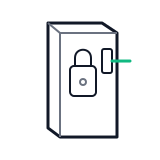 door switch lock
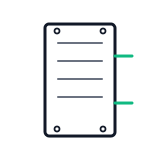 service panel
Parts status
Exact public parts list not verified yet. Use this route to identify the system before ordering.
Candidate areas for part verification
Other Possible Issues
Switch routes if this symptom is not the closest match.