

Stuck Selection Button Diagnosis
VendnetUSA 4202997
Stuck Selection Button Diagnosis
This procedure helps determine if a physical selection button is registering as continuously pressed, which can prevent product dispensing or proper operation.
- Display cannot be read at all: Stop diagnostics, document condition, hand off to qualified technician
- Physical damage to button panel or wiring: Stop, unplug machine, hand off for component replacement
- Basic checks exhausted without resolution: Document findings, hand off to advanced technician
- Controller does not respond to mode button: Hand off for controller and power supply diagnostics
Checklist
Guided Diagnostic Steps
Work from low-risk checks toward technician-level inspection only when evidence supports it.
You can read or print the route now. The first checkbox click opens the service contact gate.
- 1
Observe the front display window for any unusual flashing patterns or...
operator-intermediatesafe-visual-unpoweredObserve the front display window for any unusual flashing patterns or error codes.
Flashlight or Work LightDigital MultimeterStop conditions- If the display cannot be read at all, stop diagnostics immediately and hand off to a qualified technician.
- If physical damage to the button panel or wiring is suspected, stop, unplug the machine, and hand off for component replacement by a qualified technician.
- If basic checks are exhausted without resolution, document all findings and hand off to an advanced technician.
- If the controller does not respond to mode button presses, hand off to a qualified technician for controller and power supply diagnostics.
Expected: Initial condition is documented before deeper diagnosis.
Evidence to note: note
- 2
Visually inspect the button panel for obvious signs of damage or obst...
operator-intermediatesafe-visual-unpoweredVisually inspect the button panel for obvious signs of damage or obstruction.
Flashlight or Work LightDigital MultimeterStop conditions- If the display cannot be read at all, stop diagnostics immediately and hand off to a qualified technician.
- If physical damage to the button panel or wiring is suspected, stop, unplug the machine, and hand off for component replacement by a qualified technician.
- If basic checks are exhausted without resolution, document all findings and hand off to an advanced technician.
- If the controller does not respond to mode button presses, hand off to a qualified technician for controller and power supply diagnostics.
Expected: Initial condition is documented before deeper diagnosis.
Evidence to note: note
- 3
Observe the front display window for any unusual flashing patterns or...
operator-intermediatesafe-visual-unpoweredObserve the front display window for any unusual flashing patterns or error codes.
Flashlight or Work LightDigital MultimeterStop conditions- If the display cannot be read at all, stop diagnostics immediately and hand off to a qualified technician.
- If physical damage to the button panel or wiring is suspected, stop, unplug the machine, and hand off for component replacement by a qualified technician.
- If basic checks are exhausted without resolution, document all findings and hand off to an advanced technician.
- If the controller does not respond to mode button presses, hand off to a qualified technician for controller and power supply diagnostics.
Expected: Result is documented before continuing the route.
Evidence to note: note
- 4
Identify the button indicated by the display pattern.
operator-intermediatesafe-visual-unpoweredIdentify the button indicated by the display pattern.
Flashlight or Work LightDigital MultimeterStop conditions- If the display cannot be read at all, stop diagnostics immediately and hand off to a qualified technician.
- If physical damage to the button panel or wiring is suspected, stop, unplug the machine, and hand off for component replacement by a qualified technician.
- If basic checks are exhausted without resolution, document all findings and hand off to an advanced technician.
- If the controller does not respond to mode button presses, hand off to a qualified technician for controller and power supply diagnostics.
Expected: Result is documented before continuing the route.
Evidence to note: note
- 5
Unplug the machine and clean around the button edge.
operator-intermediatesafe-visual-unpoweredUnplug the machine and clean around the button edge.
Flashlight or Work LightDigital MultimeterStop conditions- If the display cannot be read at all, stop diagnostics immediately and hand off to a qualified technician.
- If physical damage to the button panel or wiring is suspected, stop, unplug the machine, and hand off for component replacement by a qualified technician.
- If basic checks are exhausted without resolution, document all findings and hand off to an advanced technician.
- If the controller does not respond to mode button presses, hand off to a qualified technician for controller and power supply diagnostics.
Expected: Result is documented before continuing the route.
Evidence to note: note
- 6
Plug the machine back in and check the display for normal operation.
operator-intermediatesafe-visual-unpoweredPlug the machine back in and check the display for normal operation.
Flashlight or Work LightDigital MultimeterStop conditions- If the display cannot be read at all, stop diagnostics immediately and hand off to a qualified technician.
- If physical damage to the button panel or wiring is suspected, stop, unplug the machine, and hand off for component replacement by a qualified technician.
- If basic checks are exhausted without resolution, document all findings and hand off to an advanced technician.
- If the controller does not respond to mode button presses, hand off to a qualified technician for controller and power supply diagnostics.
Expected: Result is documented before continuing the route.
Evidence to note: note
- 7
Inspect the connection point for the button panel harness.
operator-intermediatesafe-visual-unpoweredInspect the connection point for the button panel harness.
Flashlight or Work LightDigital MultimeterStop conditions- If the display cannot be read at all, stop diagnostics immediately and hand off to a qualified technician.
- If physical damage to the button panel or wiring is suspected, stop, unplug the machine, and hand off for component replacement by a qualified technician.
- If basic checks are exhausted without resolution, document all findings and hand off to an advanced technician.
- If the controller does not respond to mode button presses, hand off to a qualified technician for controller and power supply diagnostics.
Expected: Result is documented before continuing the route.
Evidence to note: note
- 8
Attempt to enter service mode using the designated button.
operator-intermediatesafe-visual-unpoweredAttempt to enter service mode using the designated button.
Flashlight or Work LightDigital MultimeterStop conditions- If the display cannot be read at all, stop diagnostics immediately and hand off to a qualified technician.
- If physical damage to the button panel or wiring is suspected, stop, unplug the machine, and hand off for component replacement by a qualified technician.
- If basic checks are exhausted without resolution, document all findings and hand off to an advanced technician.
- If the controller does not respond to mode button presses, hand off to a qualified technician for controller and power supply diagnostics.
Expected: Result is documented before continuing the route.
Evidence to note: note
- 9
Document the findings and confirm the button operates freely.
operator-intermediatesafe-visual-unpoweredDocument the findings and confirm the button operates freely.
Flashlight or Work LightDigital MultimeterStop conditions- If the display cannot be read at all, stop diagnostics immediately and hand off to a qualified technician.
- If physical damage to the button panel or wiring is suspected, stop, unplug the machine, and hand off for component replacement by a qualified technician.
- If basic checks are exhausted without resolution, document all findings and hand off to an advanced technician.
- If the controller does not respond to mode button presses, hand off to a qualified technician for controller and power supply diagnostics.
Expected: Result is documented before continuing the route.
Evidence to note: note
Tools for this route
Location Help
Where to find this
Use this as orientation before touching the machine. It is location help, not a repair instruction.
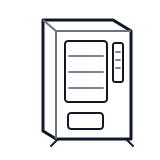
Start at the affected product shelf or selection row; compare the tray, coil, and product path with a nearby working selection.
- Allows customer selection of vended products; monitored by controller for stuck or fault conditions
- selection button matrix
- button harness
- button membrane or switches
cabinet generic control board generic
 wiring harness
 display keypad
Parts status
Exact public parts list not verified yet. Use this route to identify the system before ordering.
Candidate areas for part verification
Other Possible Issues
Switch routes if this symptom is not the closest match.