

Public-safe review handoff
VendnetUSA Glass Front Ambient Snack Vendor 5W 6W
Public-safe review handoff
This procedure guides you through initial, non-invasive checks to determine if the unit requires advanced service attention.
- If any issue is suspected beyond basic visual inspection, contact a qualified technician immediately, as further investigation may involve internal components.
Checklist
Guided Diagnostic Steps
Work from low-risk checks toward technician-level inspection only when evidence supports it.
You can read or print the route now. The first checkbox click opens the service contact gate.
- 1
Visually inspect the exterior casing for any obvious signs of impact...
operator-intermediatemediumVisually inspect the exterior casing for any obvious signs of impact or damage.
Stop conditions- If any issue is suspected beyond basic visual inspection, contact a qualified technician immediately, as further investigation may involve internal components.
Expected: Initial condition is documented before deeper diagnosis.
Evidence to note: note
- 2
Confirm that all visible access panels are securely fastened and show...
operator-intermediatemediumConfirm that all visible access panels are securely fastened and show no signs of tampering.
Stop conditions- If any issue is suspected beyond basic visual inspection, contact a qualified technician immediately, as further investigation may involve internal components.
Expected: Initial condition is documented before deeper diagnosis.
Evidence to note: note
- 3
Perform a visual inspection of the product display area.
operator-intermediatemediumPerform a visual inspection of the product display area.
Stop conditions- If any issue is suspected beyond basic visual inspection, contact a qualified technician immediately, as further investigation may involve internal components.
Expected: Result is documented before continuing the route.
Evidence to note: note
- 4
Check the general cleanliness and integrity of the exterior components.
operator-intermediatemediumCheck the general cleanliness and integrity of the exterior components.
Stop conditions- If any issue is suspected beyond basic visual inspection, contact a qualified technician immediately, as further investigation may involve internal components.
Expected: Result is documented before continuing the route.
Evidence to note: note
- 5
Document any observed anomalies using the designated service logging...
operator-intermediatemediumDocument any observed anomalies using the designated service logging procedure.
Stop conditions- If any issue is suspected beyond basic visual inspection, contact a qualified technician immediately, as further investigation may involve internal components.
Expected: Result is documented before continuing the route.
Evidence to note: note
Tools for this route
Location Help
Where to find this
Use this as orientation before touching the machine. It is location help, not a repair instruction.
Start at the front door payment column; match the display, keypad, coin, bill, or card device to the symptom before opening deeper panels.
- Encloses product storage, provides security, and presents product display through glass front panel.
- Cabinet body
- Glass front swing door
- Door hinges
 cabinet glass front
 payment column
 display keypad
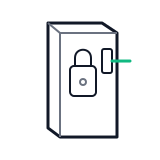 door switch lock
Parts status
Exact public parts list not verified yet. Use this route to identify the system before ordering.
Candidate areas for part verification
Other Possible Issues
Switch routes if this symptom is not the closest match.