

Telemetry Offline Diagnostic
VendnetUSA Greenlite BEP
Telemetry Offline Diagnostic
This diagnostic flow assists the service professional in verifying the physical connectivity and the correct configuration settings required for the unit's remote monitoring and communication services to function properly.
- No specific escalation required for this flow, but always consult a qualified technician if network components are suspected of failure.
Checklist
Guided Diagnostic Steps
Work from low-risk checks toward technician-level inspection only when evidence supports it.
You can read or print the route now. The first checkbox click opens the service contact gate.
- 1
Check the physical network connection points for any visible signs of...
operator-intermediatelowCheck the physical network connection points for any visible signs of damage or loose seating.
Stop conditions- No specific escalation required for this flow, but always consult a qualified technician if network components are suspected of failure.
Expected: Initial condition is documented before deeper diagnosis.
Evidence to note: note
- 2
Verify the machine's internal network status indicator lights are ill...
operator-intermediatelowVerify the machine's internal network status indicator lights are illuminated as expected.
Stop conditions- No specific escalation required for this flow, but always consult a qualified technician if network components are suspected of failure.
Expected: Initial condition is documented before deeper diagnosis.
Evidence to note: note
- 3
Access the machine communication settings and verify if the device de...
operator-intermediatelowAccess the machine communication settings and verify if the device detects a network link.
Stop conditions- No specific escalation required for this flow, but always consult a qualified technician if network components are suspected of failure.
Expected: Result is documented before continuing the route.
Evidence to note: note
- 4
Unplug and reconnect the ethernet cable at both the machine and the w...
operator-intermediatelowUnplug and reconnect the ethernet cable at both the machine and the wall jack.
Stop conditions- No specific escalation required for this flow, but always consult a qualified technician if network components are suspected of failure.
Expected: Result is documented before continuing the route.
Evidence to note: note
- 5
Navigate to the notification or sales alert settings to confirm the d...
operator-intermediatelowNavigate to the notification or sales alert settings to confirm the destination email address is entered correctly.
Stop conditions- No specific escalation required for this flow, but always consult a qualified technician if network components are suspected of failure.
Expected: Result is documented before continuing the route.
Evidence to note: note
Tools for this route
Location Help
Where to find this
Use this as orientation before touching the machine. It is location help, not a repair instruction.
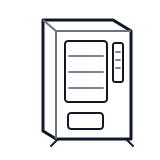
Start at the front door payment column; match the display, keypad, coin, bill, or card device to the symptom before opening deeper panels.
- Enables remote monitoring, sales alerts, and email notifications.
- Network card
- Modem
- Antenna
cabinet generic wiring harness
 payment column
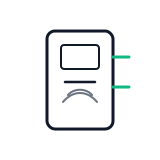 card reader
Parts status
Exact public parts list not verified yet. Use this route to identify the system before ordering.
Candidate areas for part verification
Other Possible Issues
Switch routes if this symptom is not the closest match.