

Greenlite Telemetry Device Installation Verification
VendnetUSA Greenlite Telemetry Device
Greenlite Telemetry Device Installation Verification
This procedure guides a service professional through confirming the correct setup and operational status of the remote telemetry module.
Qualified technician handoff: stop before live electrical testing, sealed-system refrigeration work, compressor service, or protected-compartment access unless a qualified technician is handling the work.
- Machine has pre-existing errors that prevent telemetry installation: Stop installation. Resolve machine faults before proceeding.
- Burning smell, visible damage, or water intrusion detected at any point: Immediately power off machine. Do not continue. Escalate to licensed technician.
- Firmware is below minimum and cannot be updated in field: Contact manufacturer support for firmware update instructions or controller replacement options.
- If any issue arises during the power-up sequence, especially involving live-voltage connections or refrigeration components, immediately stop and call a qualified technician.
Checklist
Guided Diagnostic Steps
Work from low-risk checks toward technician-level inspection only when evidence supports it.
You can read or print the route now. The first checkbox click opens the service contact gate.
- 1
Verify the machine's main power supply is completely disconnected bef...
operator-intermediatehighVerify the machine's main power supply is completely disconnected before touching any wiring.
Qualified technician handoff: stop before live electrical testing, sealed-system refrigeration work, compressor service, or protected-compartment access unless a qualified technician is handling the work.
Flashlight or Work LightDigital MultimeterScrewdriver SetFirmware Compatibility ReferenceStop conditions- If any issue arises during the power-up sequence, especially involving live-voltage connections or refrigeration components, immediately stop and call a qualified technician.
- For any wiring or connection troubleshooting, always defer to a qualified technician to ensure safety and proper system integration.
Expected: Initial condition is documented before deeper diagnosis.
Evidence to note: note
- 2
Confirm the machine's operational software is running the required mi...
operator-intermediatehighConfirm the machine's operational software is running the required minimum version before proceeding with physical connections.
Qualified technician handoff: stop before live electrical testing, sealed-system refrigeration work, compressor service, or protected-compartment access unless a qualified technician is handling the work.
Flashlight or Work LightDigital MultimeterScrewdriver SetFirmware Compatibility ReferenceStop conditions- If any issue arises during the power-up sequence, especially involving live-voltage connections or refrigeration components, immediately stop and call a qualified technician.
- For any wiring or connection troubleshooting, always defer to a qualified technician to ensure safety and proper system integration.
Expected: Initial condition is documented before deeper diagnosis.
Evidence to note: note
- 3
Perform initial visual inspection of the mounting area.
operator-intermediatehighPerform initial visual inspection of the mounting area.
Qualified technician handoff: stop before live electrical testing, sealed-system refrigeration work, compressor service, or protected-compartment access unless a qualified technician is handling the work.
Flashlight or Work LightDigital MultimeterScrewdriver SetFirmware Compatibility ReferenceStop conditions- If any issue arises during the power-up sequence, especially involving live-voltage connections or refrigeration components, immediately stop and call a qualified technician.
- For any wiring or connection troubleshooting, always defer to a qualified technician to ensure safety and proper system integration.
Expected: Result is documented before continuing the route.
Evidence to note: note
- 4
Connect the necessary data cables according to the diagram.
operator-intermediatehighConnect the necessary data cables according to the diagram.
Qualified technician handoff: stop before live electrical testing, sealed-system refrigeration work, compressor service, or protected-compartment access unless a qualified technician is handling the work.
Flashlight or Work LightDigital MultimeterScrewdriver SetFirmware Compatibility ReferenceStop conditions- If any issue arises during the power-up sequence, especially involving live-voltage connections or refrigeration components, immediately stop and call a qualified technician.
- For any wiring or connection troubleshooting, always defer to a qualified technician to ensure safety and proper system integration.
Expected: Result is documented before continuing the route.
Evidence to note: note
- 5
Power up the unit and monitor the initial data reporting sequence.
operator-intermediatehighPower up the unit and monitor the initial data reporting sequence.
Qualified technician handoff: stop before live electrical testing, sealed-system refrigeration work, compressor service, or protected-compartment access unless a qualified technician is handling the work.
Flashlight or Work LightDigital MultimeterScrewdriver SetFirmware Compatibility ReferenceStop conditions- If any issue arises during the power-up sequence, especially involving live-voltage connections or refrigeration components, immediately stop and call a qualified technician.
- For any wiring or connection troubleshooting, always defer to a qualified technician to ensure safety and proper system integration.
Expected: Result is documented before continuing the route.
Evidence to note: note
Tools for this route
Location Help
Where to find this
Use this as orientation before touching the machine. It is location help, not a repair instruction.
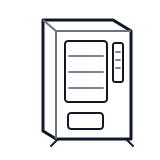
Start outside the machine at the outlet and cord, then identify the power entry area before any protected-compartment inspection.
- Houses the Greenlite telemetry module that communicates machine status and transaction data remotely.
- Greenlite telemetry module
- Mounting hardware (screws or adhesive pad)
- MDB input cable
Do not open energized or protected electrical areas unless a qualified technician or licensed electrician is handling the work.
cabinet generic wiring harness
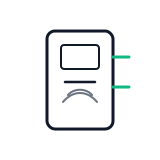 card reader
 power supply
Parts status
Exact public parts list not verified yet. Use this route to identify the system before ordering.
Candidate areas for part verification
Other Possible Issues
Switch routes if this symptom is not the closest match.