

Coin Acceptance Failure Diagnostic
VendnetUSA MCM5
Coin Acceptance Failure Diagnostic
This diagnostic flow helps determine why the machine is rejecting or failing to register inserted coins through the coin mechanism.
- Escalate if MDB communication error persists after checking harness and power.
- If the issue persists after checking the harness connection and power cycling, please contact a qualified technician for further diagnosis of the coin acceptance system.
Checklist
Guided Diagnostic Steps
Work from low-risk checks toward technician-level inspection only when evidence supports it.
You can read or print the route now. The first checkbox click opens the service contact gate.
- 1
Power down the machine completely before inspecting any coin path com...
operator-intermediatesafe-if-powered-downPower down the machine completely before inspecting any coin path components.
FlashlightSoft Brush or Compressed AirMultimeterStop conditions- If the issue persists after checking the harness connection and power cycling, please contact a qualified technician for further diagnosis of the coin acceptance system.
Expected: Initial condition is documented before deeper diagnosis.
Evidence to note: note
- 2
Visually inspect the coin inlet area for any obvious obstructions or...
operator-intermediatesafe-if-powered-downVisually inspect the coin inlet area for any obvious obstructions or foreign materials.
FlashlightSoft Brush or Compressed AirMultimeterStop conditions- If the issue persists after checking the harness connection and power cycling, please contact a qualified technician for further diagnosis of the coin acceptance system.
Expected: Initial condition is documented before deeper diagnosis.
Evidence to note: note
- 3
Power down the machine. Shine a flashlight down the coin inlet and lo...
operator-intermediatesafe-if-powered-downPower down the machine. Shine a flashlight down the coin inlet and look for obvious debris, bent plastic, or foreign objects.
FlashlightSoft Brush or Compressed AirMultimeterStop conditions- If the issue persists after checking the harness connection and power cycling, please contact a qualified technician for further diagnosis of the coin acceptance system.
Expected: Result is documented before continuing the route.
Evidence to note: note
- 4
Use a soft brush or compressed air to gently remove debris from the c...
operator-intermediatesafe-if-powered-downUse a soft brush or compressed air to gently remove debris from the coin inlet and acceptor head.
FlashlightSoft Brush or Compressed AirMultimeterStop conditions- If the issue persists after checking the harness connection and power cycling, please contact a qualified technician for further diagnosis of the coin acceptance system.
Expected: Result is documented before continuing the route.
Evidence to note: note
- 5
Restore power to the machine. Insert test coins to verify acceptance...
operator-intermediatesafe-if-powered-downRestore power to the machine. Insert test coins to verify acceptance and registration on the display.
FlashlightSoft Brush or Compressed AirMultimeterStop conditions- If the issue persists after checking the harness connection and power cycling, please contact a qualified technician for further diagnosis of the coin acceptance system.
Expected: Result is documented before continuing the route.
Evidence to note: note
- 6
Power down the machine. Unplug and reconnect the MDB harness to ensur...
operator-intermediatesafe-if-powered-downPower down the machine. Unplug and reconnect the MDB harness to ensure proper seating.
FlashlightSoft Brush or Compressed AirMultimeterStop conditions- If the issue persists after checking the harness connection and power cycling, please contact a qualified technician for further diagnosis of the coin acceptance system.
Expected: Result is documented before continuing the route.
Evidence to note: note
- 7
The coin mechanism is functioning correctly.
operator-intermediatesafe-if-powered-downThe coin mechanism is functioning correctly.
FlashlightSoft Brush or Compressed AirMultimeterStop conditions- If the issue persists after checking the harness connection and power cycling, please contact a qualified technician for further diagnosis of the coin acceptance system.
Expected: Result is documented before continuing the route.
Evidence to note: note
- 8
If all previous steps failed, the validator or main board may require...
operator-intermediatesafe-if-powered-downIf all previous steps failed, the validator or main board may require replacement. Verify compatibility before ordering.
FlashlightSoft Brush or Compressed AirMultimeterStop conditions- If the issue persists after checking the harness connection and power cycling, please contact a qualified technician for further diagnosis of the coin acceptance system.
Expected: Result is documented before continuing the route.
Evidence to note: note
- 9
The issue requires advanced diagnostics or manufacturer support.
operator-intermediatesafe-if-powered-downThe issue requires advanced diagnostics or manufacturer support.
FlashlightSoft Brush or Compressed AirMultimeterStop conditions- If the issue persists after checking the harness connection and power cycling, please contact a qualified technician for further diagnosis of the coin acceptance system.
Expected: Result is documented before continuing the route.
Evidence to note: note
Tools for this route
Location Help
Where to find this
Use this as orientation before touching the machine. It is location help, not a repair instruction.
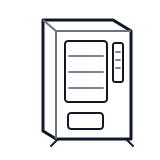
Start at the front door payment column; match the display, keypad, coin, bill, or card device to the symptom before opening deeper panels.
- Processes inserted coins, validates denomination, and routes them to the appropriate tube or cashbox.
- Coin inlet
- Acceptor head
- Sorter
cabinet generic payment column
 coin mech
Parts status
Exact public parts list not verified yet. Use this route to identify the system before ordering.
Candidate areas for part verification