

Programming Menu Unresponsive
Other Other 962 Revolution
Programming Menu Unresponsive
Diagnoses why the controller programming menu cannot be entered or navigated.
- Keypad connector shows signs of heat damage or melting: Stop immediately. Disconnect power and escalate to licensed technician.
Checklist
Guided Diagnostic Steps
Work from low-risk checks toward technician-level inspection only when evidence supports it.
You can read or print the route now. The first checkbox click opens the service contact gate.
- 1
Inspect Keypad for Physical Issues
owner-basiclowPress each button individually and observe tactile feedback. No button should remain depressed after release. Look for liquid residue, grime, or physical damage around the button surfaces.
Flashlight or Work LightStop conditions- Liquid intrusion visible — disconnect power
Expected: All buttons move freely and return to rest position.
Evidence to note: photo
Tools for this route
Location Help
Where to find this
Use this as orientation before touching the machine. It is location help, not a repair instruction.
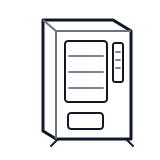
Start at the front door payment column; match the display, keypad, coin, bill, or card device to the symptom before opening deeper panels.
- Provides the user interface for navigating menus, viewing status, and entering programming parameters.
- LCD or LED display
- Membrane keypad
- Keypad connector
cabinet generic control board generic
 wiring harness
 payment column
Parts status
Exact public parts list not verified yet. Use this route to identify the system before ordering.
Candidate areas for part verification
Other Possible Issues
Switch routes if this symptom is not the closest match.