

Error Message Diagnostic Flow
Rowe 548
Error Message Diagnostic Flow
Guided approach to identify, record, and resolve error messages on the Rowe 548 Showcase Merchandiser. The machine has self-diagnosing software that generates error messages and places them into an error queue.
- Error persists after three clear attempts: Escalate to technician
- Error accompanied by burning smell or smoke: Immediately unplug machine and escalate
Checklist
Guided Diagnostic Steps
Work from low-risk checks toward technician-level inspection only when evidence supports it.
You can read or print the route now. The first checkbox click opens the service contact gate.
- 1
Record the Error Message
operator-intermediatesafe-for-operatorWrite down the exact text or code displayed on the machine's display. Note whether the machine is still vending or has gone out of service.
Pen and Paper or Notes AppExpected: A written record of the error message and the machine's current operational state.
Evidence to note: note
- 2
Check Main Door State
operator-intermediatesafe-for-operatorOpen the main door fully and then close it securely. Verify the door is fully latched. Observe whether the display changes after door closure.
Stop conditions- Door will not latch properly
- Door switch appears damaged
Expected: Door opens and closes smoothly; display may update or error may change after door cycle.
Evidence to note: note
- 3
Attempt Error Clear via Service Mode
operator-intermediatesafe-for-operatorAccess the service mode to view and clear the error queue. Follow the service mode navigation to find the error review and clear function. After clearing, check if the machine returns to normal vend mode.
Expected: Error queue is cleared and the machine returns to normal operation, or the error reappears indicating an active fault.
Evidence to note: photo
- 4
Assess for Recurring Error
operator-intermediatesafe-for-operatorIf the error returned after clearing, record how quickly it reappeared and whether it appeared during a vend attempt or while idle. This information helps the technician identify the root cause.
Pen and Paper or Notes AppStop conditions- Burning smell detected
- Unusual sounds
Expected: Documented recurrence pattern for technician use.
Evidence to note: note
- 5
Error Resolved
operator-intermediatesafe-for-operatorThe error has been successfully cleared and the machine is back in normal operation. Monitor for recurrence over the next several vend cycles.
Expected: Machine operates normally with no error.
Evidence to note: note
- 6
Escalate to Technician
operator-intermediatesafe-for-operatorThe error could not be resolved at operator level. Provide all recorded error messages, recurrence patterns, and door cycle results to the servicing technician.
Expected: Technician receives complete diagnostic notes.
Evidence to note: note
- 7
Diagnostic Blocked
operator-intermediatesafe-for-operatorThe diagnostic could not proceed due to an unsafe condition or inability to access the display. Do not force access. Unplug the machine if any safety concern exists and contact a qualified technician.
Expected: Machine is left in a safe state pending technician arrival.
Evidence to note: note
Tools for this route
Location Help
Where to find this
Use this as orientation before touching the machine. It is location help, not a repair instruction.
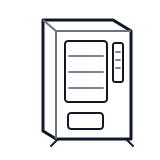
Start at the affected product shelf or selection row; compare the tray, coil, and product path with a nearby working selection.
- Main logic board that runs self-diagnosing software, manages vend sequences, stores error queues, and controls all subsystem coordination.
- Main controller board
- Firmware or software
- Memory or error queue storage
Do not open energized or protected electrical areas unless a qualified technician or licensed electrician is handling the work.
cabinet generic control board generic
 vend motor
 power supply
Parts status
Exact public parts list not verified yet. Use this route to identify the system before ordering.
Candidate areas for part verification
Other Possible Issues
Switch routes if this symptom is not the closest match.