

Machine Out of Service Diagnostic Flow
Rowe 548
Machine Out of Service Diagnostic Flow
Guided approach to determine why the Rowe 548 has gone out of service and restore operation when possible at the operator level.
- Machine repeatedly goes out of service after clearing: Escalate to technician for root cause analysis
- No power to display at all: Check power input; if confirmed powered but dark display, escalate to technician
Checklist
Guided Diagnostic Steps
Work from low-risk checks toward technician-level inspection only when evidence supports it.
You can read or print the route now. The first checkbox click opens the service contact gate.
- 1
Attempt Error Clear via Service Mode
operator-intermediatesafe-for-operatorAccess the service mode to view and clear the error queue. Follow the service mode navigation to find the error review and clear function. After clearing, check if the machine returns to normal vend mode.
Expected: Error queue is cleared and the machine returns to normal operation, or the error reappears indicating an active fault.
Evidence to note: photo
Tools for this route
Location Help
Where to find this
Use this as orientation before touching the machine. It is location help, not a repair instruction.
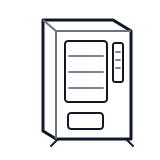
Start at the customer delivery bin and product drop path; clear visible product and debris before moving to internal checks.
- Encloses the vending machine, provides physical security, and houses the main door switch used by the controller to detect access state.
- Main cabinet enclosure
- Glass front panel
- Door hinges and latches
cabinet generic control board generic
 vend motor
 delivery bin sensor
Parts status
Exact public parts list not verified yet. Use this route to identify the system before ordering.
Candidate areas for part verification
Other Possible Issues
Switch routes if this symptom is not the closest match.