

Display Diagnostic
Royal Vendors R20
Display Diagnostic
Checks for display functionality from visual inspection through harness and power verification.
Qualified technician handoff: stop before live electrical testing, sealed-system refrigeration work, compressor service, or protected-compartment access unless a qualified technician is handling the work.
Checklist
Guided Diagnostic Steps
Work from low-risk checks toward technician-level inspection only when evidence supports it.
You can read or print the route now. The first checkbox click opens the service contact gate.
- 1
Observe Display Behavior
operator-intermediatelowPower cycle the machine and observe the display during boot. Note whether any segments light, characters appear briefly, or the display stays completely dark.
Stop conditions- smell-or-visible-damage
Expected: Display shows some activity during power-on sequence.
Evidence to note: photo
- 2
Inspect Display Harness Connection
operator-intermediatehighWith power disconnected, locate the display harness connector. Verify it is firmly seated, pins are straight, and connector housing is not damaged.
Expected: Display harness connector is fully inserted with no bent pins or damage.
Evidence to note: photo
Tools for this route
Location Help
Where to find this
Use this as orientation before touching the machine. It is location help, not a repair instruction.
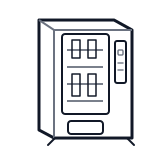
Start at the front door payment column; match the display, keypad, coin, bill, or card device to the symptom before opening deeper panels.
- Routes line voltage from facility outlet to machine power supply and refrigeration system.
- power-cord
- line-filter
- terminal-block
Do not open sealed-system or compressor areas unless a qualified refrigeration technician is handling the work.
cabinet drink wiring harness
 payment column
 display keypad
Parts status
Exact public parts list not verified yet. Use this route to identify the system before ordering.
Candidate areas for part verification
Other Possible Issues
Switch routes if this symptom is not the closest match.