

Basic Refrigeration Diagnostic
VendnetUSA 186 / 187
Basic Refrigeration Diagnostic
Non-invasive checks to determine if the refrigeration issue is environmental, airflow-related, sensor-related, or requires sealed-system service.
Qualified technician handoff: stop before live electrical testing, sealed-system refrigeration work, compressor service, or protected-compartment access unless a qualified technician is handling the work.
- Compressor clicking and failing to start: Do not cycle power repeatedly. Escalate immediately — repeated start attempts can damage the compressor.
- Frost on suction line back to compressor: Possible overcharge or restriction. Requires licensed refrigeration technician.
- Burning smell from compressor area: Disconnect power immediately. Do not restart. Escalate.
Checklist
Guided Diagnostic Steps
Work from low-risk checks toward technician-level inspection only when evidence supports it.
You can read or print the route now. The first checkbox click opens the service contact gate.
- 1
Verify ambient conditions and clearance
operator-intermediatesafe-visualConfirm the machine has at least the manufacturer-recommended clearance on all vented sides. Check that the room temperature is within the machine's rated operating range.
ThermometerTape MeasureExpected: Clearance and ambient temperature are within specification.
Evidence to note: meter-reading
- 2
Clean condenser coil if dirty
operator-intermediatelowAccess the condenser coil area. If visibly dirty, clean using a soft brush and vacuum or compressed air. Do not bend the fins.
Qualified technician handoff: stop before live electrical testing, sealed-system refrigeration work, compressor service, or protected-compartment access unless a qualified technician is handling the work.
Soft BrushVacuum with Brush AttachmentStop conditions- condenser-fins-damaged-or-corroded
Expected: Condenser coil is clean with unobstructed airflow.
Evidence to note: photo
- 3
Check door seal integrity
operator-intermediatesafe-visualWith the door closed, inspect the full perimeter of the door gasket for gaps, tears, or hardening. Use a piece of paper between the gasket and cabinet — it should be held firmly all around.
Expected: Gasket makes full contact with no gaps.
Evidence to note: photo
- 4
Verify compressor run state
operator-intermediatehighWith power on, listen and feel whether the compressor is running. A running compressor will have a slight vibration and a low hum. If it is not running, or if it clicks and does not start, note the behavior.
Qualified technician handoff: stop before live electrical testing, sealed-system refrigeration work, compressor service, or protected-compartment access unless a qualified technician is handling the work.
Stop conditions- compressor-clicking-repeatedly
- burning-smell-from-compressor-area
Expected: Compressor runs smoothly with consistent vibration and hum.
Evidence to note: note
- 5
Measure internal temperature
operator-intermediatesafe-visualPlace a thermometer in the product zone and allow at least 30 minutes with the door closed. Record the temperature.
ThermometerExpected: Internal temperature is within the acceptable product storage range.
Evidence to note: meter-reading
Tools for this route
Location Help
Where to find this
Use this as orientation before touching the machine. It is location help, not a repair instruction.
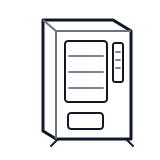
Start at the front door payment column; match the display, keypad, coin, bill, or card device to the symptom before opening deeper panels.
- Executes vend logic, manages pricing, coordinates payment system, controls refrigeration, and runs self-diagnostics.
- main-controller-board
- firmware-eprom-or-flash
- service-mode-button
Do not open sealed-system or compressor areas unless a qualified refrigeration technician is handling the work.
cabinet generic control board generic
 payment column
 display keypad
Parts status
Exact public parts list not verified yet. Use this route to identify the system before ordering.
Candidate areas for part verification
Other Possible Issues
Switch routes if this symptom is not the closest match.