

Payment mechanical diagnostic
VendnetUSA 3116
Payment mechanical diagnostic
This procedure addresses physical issues related to the acceptance of currency, checking for jams, misfeeds, or incorrect rejection of valid payment methods.
- If the mechanical issue requires electrical reset or component replacement, contact a qualified technician.
Checklist
Guided Diagnostic Steps
Work from low-risk checks toward technician-level inspection only when evidence supports it.
You can read or print the route now. The first checkbox click opens the service contact gate.
- 1
With power off, manually check the selected column's drive mechanism...
operator-intermediatelowWith power off, manually check the selected column's drive mechanism for jams or binding.
Flashlight or work lightCompressed air canisterSoft bristle brushStop conditions- If the mechanical issue requires electrical reset or component replacement, contact a qualified technician.
Expected: Initial condition is documented before deeper diagnosis.
Evidence to note: note
- 2
Inspect power cord integrity.
operator-intermediatelowInspect power cord integrity.
Flashlight or work lightCompressed air canisterSoft bristle brushStop conditions- If the mechanical issue requires electrical reset or component replacement, contact a qualified technician.
Expected: Initial condition is documented before deeper diagnosis.
Evidence to note: note
- 3
Clear any mechanical obstruction
operator-intermediatelowClear any mechanical obstruction
Flashlight or work lightCompressed air canisterSoft bristle brushStop conditions- If the mechanical issue requires electrical reset or component replacement, contact a qualified technician.
Expected: Result is documented before continuing the route.
Evidence to note: note
- 4
No specific electrical steps are provided for this diagnostic.
operator-intermediatelowNo specific electrical steps are provided for this diagnostic.
Flashlight or work lightCompressed air canisterSoft bristle brushStop conditions- If the mechanical issue requires electrical reset or component replacement, contact a qualified technician.
Expected: Result is documented before continuing the route.
Evidence to note: note
Tools for this route
Location Help
Where to find this
Use this as orientation before touching the machine. It is location help, not a repair instruction.
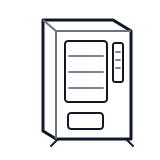
Start at the front door payment column; match the display, keypad, coin, bill, or card device to the symptom before opening deeper panels.
- Accepts and validates coins, bills, or electronic payment; communicates credit status to the controller.
- Coin mechanism
- Bill validator
- Card reader
cabinet generic control board generic
 wiring harness
 payment column
Parts status
Exact public parts list not verified yet. Use this route to identify the system before ordering.
Candidate areas for part verification
Other Possible Issues
Switch routes if this symptom is not the closest match.