

Reader Showing Error State via LED
VendnetUSA Greenlite Cashle
Reader Showing Error State via LED
Diagnostic flow for readers displaying error indicators through LED patterns
Qualified technician handoff: stop before live electrical testing, sealed-system refrigeration work, compressor service, or protected-compartment access unless a qualified technician is handling the work.
- Reader is hot to touch or making unusual sounds: Disconnect power immediately and contact manufacturer
Checklist
Guided Diagnostic Steps
Work from low-risk checks toward technician-level inspection only when evidence supports it.
You can read or print the route now. The first checkbox click opens the service contact gate.
- 1
Check MDB Voltage at Controller Output
technician-advancedlive-voltageMeasure voltage at the machine controller's MDB cashless output port. This isolates whether the issue is the cable or the controller output. Consult manufacturer specifications for expected values.
Qualified technician handoff: stop before live electrical testing, sealed-system refrigeration work, compressor service, or protected-compartment access unless a qualified technician is handling the work.
Digital MultimeterStop conditions- Any sign of sparking
- Unexpected voltage levels
Expected: Voltage present at controller MDB output within specification
Evidence to note: meter-reading
Tools for this route
Location Help
Where to find this
Use this as orientation before touching the machine. It is location help, not a repair instruction.
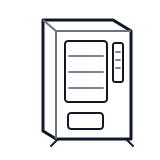
Start at the front door payment column; match the display, keypad, coin, bill, or card device to the symptom before opening deeper panels.
- Communicates device operational state, connectivity status, and error conditions through colored LED patterns
- Status LED
- Action LED
- Internal indicator LEDs
Do not open protected compartments unless a qualified technician is handling the work.
cabinet genericParts status
Exact public parts list not verified yet. Use this route to identify the system before ordering.
Candidate areas for part verification
Other Possible Issues
Switch routes if this symptom is not the closest match.