

Greenlite Communication Failure Diagnostic
VendnetUSA Greenlite
Greenlite Communication Failure Diagnostic
Diagnose why a powered Greenlite unit is not communicating with the remote monitoring platform, covering connectivity, configuration, and communication module checks.
Qualified technician handoff: stop before live electrical testing, sealed-system refrigeration work, compressor service, or protected-compartment access unless a qualified technician is handling the work.
- Unit has been offline for more than 24 hours unexpectedly: Prioritize on-site visit to restore telemetry.
Checklist
Guided Diagnostic Steps
Work from low-risk checks toward technician-level inspection only when evidence supports it.
You can read or print the route now. The first checkbox click opens the service contact gate.
- 1
Observe Communication LEDs
operator-intermediatelowObserve the communication indicator LEDs on the Greenlite unit. Note which LEDs are lit, blinking, or off.
Expected: Communication activity LED shows active pattern.
Evidence to note: note
- 2
Check Portal Status
operator-intermediatelowAccess the remote monitoring portal and check the last reported communication timestamp from this unit.
Expected: Recent timestamp visible showing active communication.
Evidence to note: photo
- 3
Portal Access Issue
operator-intermediatelowUnable to access monitoring portal. Verify internet connectivity at your location and try again.
Expected: Portal accessible.
Evidence to note: note
- 4
Evaluate Signal Environment
operator-intermediatelowCheck if the machine location has adequate signal coverage for the Greenlite communication method. Consider relocation of antenna if signal is weak.
Expected: Signal strength adequate for reliable communication.
Evidence to note: meter-reading
Tools for this route
Location Help
Where to find this
Use this as orientation before touching the machine. It is location help, not a repair instruction.
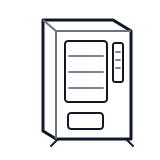
Start outside the machine at the outlet and cord, then identify the power entry area before any protected-compartment inspection.
- Handles network communication between the Greenlite unit and remote monitoring services, including cellular or Ethernet connectivity.
- Communication module
- Antenna or network interface
- Signal indicators
Do not open energized or protected electrical areas unless a qualified technician or licensed electrician is handling the work.
cabinet genericParts status
Exact public parts list not verified yet. Use this route to identify the system before ordering.
Candidate areas for part verification
Other Possible Issues
Switch routes if this symptom is not the closest match.