

Greenlite Unit No Power Diagnostic
VendnetUSA Greenlite
Greenlite Unit No Power Diagnostic
Systematic approach to identify why the Greenlite telemetry unit is not powering on, starting with host machine verification and progressing through power source and unit checks.
Qualified technician handoff: stop before live electrical testing, sealed-system refrigeration work, compressor service, or protected-compartment access unless a qualified technician is handling the work.
- Line voltage detected at Greenlite input: Immediate stop. Escalate to licensed electrician or technician.
- Burning smell or visible heat damage: Disconnect power immediately and escalate.
Checklist
Guided Diagnostic Steps
Work from low-risk checks toward technician-level inspection only when evidence supports it.
You can read or print the route now. The first checkbox click opens the service contact gate.
- 1
Verify Host Machine Power
operator-intermediatelowConfirm the host vending machine is powered on and capable of normal vending operations.
Expected: Host machine operates normally with no error states.
Evidence to note: note
- 2
Host Machine Power Issue Identified
operator-intermediatelowThe host vending machine is not operational. Resolve the host machine power issue before continuing with Greenlite diagnostics.
Expected: Host machine power restored and machine operational.
Evidence to note: note
- 3
Escalate Host Machine Issue
operator-intermediatelowStop Greenlite diagnostics. The host machine requires service before the Greenlite unit can be properly diagnosed.
Expected: Host machine service scheduled or completed.
Evidence to note: note
- 4
Inspect Power Connection to Greenlite
operator-intermediatelowWith host machine confirmed operational, visually inspect the power connection at the Greenlite unit. Ensure the connector is fully seated and oriented correctly.
Stop conditions- Connector or wiring appears damaged
- Signs of melting or heat damage
Expected: Power connector is secure with no visible damage.
Evidence to note: photo
- 5
Reseat Power Connection
operator-intermediatelowDisconnect and carefully reconnect the power connector to the Greenlite unit, ensuring proper orientation and full seating.
Stop conditions- Connector does not seat properly
- Connector pins appear bent or corroded
Expected: Connector securely reseated.
Evidence to note: photo
- 6
Check for Status LED Indication
operator-intermediatelowObserve the Greenlite unit for any LED activity. Look for power indicators, status lights, or communication LEDs.
Expected: At least one LED illuminates indicating power is present.
Evidence to note: note
- 7
Verify Input Voltage
operator-intermediatehighUsing a digital multimeter, measure the voltage present at the Greenlite power input. Compare with expected input specifications from official documentation.
Stop conditions- Voltage reading does not match expected low-voltage range
Expected: Voltage within expected range per official specifications.
Evidence to note: meter-reading
- 8
Escalate to Qualified Technician
operator-intermediatehighThe diagnostic has reached a point requiring advanced troubleshooting. Stop and hand off to a qualified service technician.
Expected: Technician assigned for further diagnosis.
Evidence to note: note
Tools for this route
Location Help
Where to find this
Use this as orientation before touching the machine. It is location help, not a repair instruction.
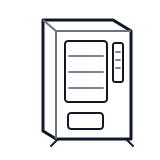
Start outside the machine at the outlet and cord, then identify the power entry area before any protected-compartment inspection.
- Provides operating voltage to the Greenlite telemetry unit from the host machine or dedicated power source.
- Power connector
- Input protection
- Voltage regulation circuitry
Do not open energized or protected electrical areas unless a qualified technician or licensed electrician is handling the work.
cabinet generic wiring harness
 card reader
 power supply
Parts status
Exact public parts list not verified yet. Use this route to identify the system before ordering.
Candidate areas for part verification
Other Possible Issues
Switch routes if this symptom is not the closest match.