

Machine Completely Dead — No Power
Royal Vendors Royal Vendors Triple Depth Vender (3 Button Programming)
Machine Completely Dead — No Power
Diagnoses total loss of machine function starting from facility power verification through internal power distribution, avoiding live-voltage probing until technician-advanced steps.
Qualified technician handoff: stop before live electrical testing, sealed-system refrigeration work, compressor service, or protected-compartment access unless a qualified technician is handling the work.
- Repeated fuse failure after replacement: Do not install oversized fuse. Escalate to qualified technician for short-circuit diagnosis.
- Burning smell, scorch marks, or heat damage found: Unplug immediately. Escalate to qualified technician or electrician.
Checklist
Guided Diagnostic Steps
Work from low-risk checks toward technician-level inspection only when evidence supports it.
You can read or print the route now. The first checkbox click opens the service contact gate.
- 1
Verify Facility Outlet Power
operator-intermediatelowUse a known-good lamp or outlet tester at the facility outlet to confirm power is available. If the outlet does not have power, resolve the facility issue first.
Outlet Tester or Known-Good LampExpected: Facility outlet confirmed energized.
Evidence to note: note
- 2
Inspect Power Cord
operator-intermediatelowUnplug the machine. Visually and physically inspect the full length of the power cord for cuts, kinks, melted areas, or damaged prongs. Check the plug end and the strain relief at the machine entry.
Flashlight or Work LightStop conditions- If cord is hot to the touch while plugged in, unplug immediately.
Expected: Power cord is intact with no visible damage.
Evidence to note: photo
- 3
Check Main Fuse or Circuit Protection
operator-intermediatehighWith the machine unplugged, access the power entry area and locate the main fuse or circuit protection device. Remove and visually inspect the fuse. If a multimeter is available, check continuity across the fuse.
Flashlight or Work LightDigital MultimeterStop conditions- If fuse holder shows heat damage, stop and hand off to qualified technician.
Expected: Fuse shows continuity and no visible signs of failure.
Evidence to note: meter-reading
- 4
Check Internal Power Distribution
operator-intermediatehighWith the machine unplugged, trace the wiring from the power input to the controller and other subsystems. Look for disconnected harness connectors, burned wires, or loose terminals. Reconnect any found disconnected. Plug in and observe if the machine powers on.
Flashlight or Work LightStop conditions- If any wire shows heat damage or burning smell, stop and hand off.
Expected: Machine powers on after reconnecting any found loose connections.
Evidence to note: photo
- 5
Live Voltage Check at Power Entry
technician-advancedlive-voltageCAUTION: This step requires working near live voltage. With the machine plugged in, carefully measure voltage at the power terminal block to confirm voltage is present inside the machine. Use one-hand rule and insulated probes.
Qualified technician handoff: stop before live electrical testing, sealed-system refrigeration work, compressor service, or protected-compartment access unless a qualified technician is handling the work.
Digital MultimeterStop conditions- If you feel unsafe or are not trained for live-voltage measurement, stop immediately.
- If any sparking or arcing is observed, unplug the machine immediately.
Expected: Voltage present at terminal block matches nameplate rating.
Evidence to note: meter-reading
Tools for this route
Location Help
Where to find this
Use this as orientation before touching the machine. It is location help, not a repair instruction.
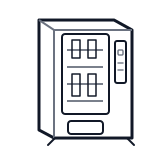
Start at the customer delivery bin and product drop path; clear visible product and debris before moving to internal checks.
- Delivers electrical power from facility supply to the vendor's internal distribution.
- Power cord or hardwired input
- Terminal block or power entry connector
- Main line fuse or circuit breaker
Do not open energized or protected electrical areas unless a qualified technician or licensed electrician is handling the work.
cabinet drink wiring harness
 power supply
 terminal block
Parts status
Exact public parts list not verified yet. Use this route to identify the system before ordering.
Candidate areas for part verification
Other Possible Issues
Switch routes if this symptom is not the closest match.