

Vend Motor Does Not Turn
Royal Vendors Royal Vendors Triple Depth Vender (3 Button Programming)
Vend Motor Does Not Turn
Diagnoses why a vend motor fails to operate when a selection is made, starting with product loading checks and progressing to motor electrical diagnostics.
Qualified technician handoff: stop before live electrical testing, sealed-system refrigeration work, compressor service, or protected-compartment access unless a qualified technician is handling the work.
- Multiple motors failing simultaneously: Likely a common-cause issue (controller, power supply, or main harness). Do not replace individual motors yet.
- Motor sparking or smoking during test: Unplug immediately. Motor may have internal short. Escalate to technician.
Checklist
Guided Diagnostic Steps
Work from low-risk checks toward technician-level inspection only when evidence supports it.
You can read or print the route now. The first checkbox click opens the service contact gate.
- 1
Verify Product Loading and Column Assignment
operator-intermediatelowConfirm the affected column has product loaded correctly with proper spacing and that the selection button is correctly assigned to that column. Check for any product jam or obstruction visible through the door or access panel.
Flashlight or Work LightExpected: Product is loaded correctly with no jams, and selection maps to the correct column.
Evidence to note: photo
- 2
Inspect Drive Mechanism
operator-intermediatehighWith the machine unplugged, access the vend motor area for the affected column. Visually inspect the motor, drive linkage, gears, or cam for damage, binding, or foreign object interference. Try gently turning the mechanism by hand to feel for resistance.
Flashlight or Work LightStop conditions- If mechanism is physically broken or has damaged gear teeth, do not force — hand off to technician.
Expected: Drive mechanism moves freely with no binding or visible damage.
Evidence to note: photo
Tools for this route
Location Help
Where to find this
Use this as orientation before touching the machine. It is location help, not a repair instruction.
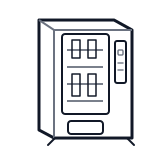
Start at the customer delivery bin and product drop path; clear visible product and debris before moving to internal checks.
- Drives the mechanical action that moves product from storage to delivery.
- Individual vend motors per column
- Motor wiring harness
- Drive mechanisms (cams, gears, or belts depending on configuration)
Do not open energized or protected electrical areas unless a qualified technician or licensed electrician is handling the work.
cabinet drink wiring harness
 display keypad
 vend motor
Parts status
Exact public parts list not verified yet. Use this route to identify the system before ordering.
Candidate areas for part verification
Other Possible Issues
Switch routes if this symptom is not the closest match.