

Products Not Cold — Compressor Not Running
VendnetUSA 3515 / 3515A
Products Not Cold — Compressor Not Running
Diagnoses why the refrigeration compressor is not starting. Covers thermostat settings, compressor electrical supply, start relay, and thermal overload. Sealed-system issues are flagged for licensed service.
Qualified technician handoff: stop before live electrical testing, sealed-system refrigeration work, compressor service, or protected-compartment access unless a qualified technician is handling the work.
- Oil residue visible around compressor or fittings: Stop. Do not attempt sealed-system repair. Escalate to manufacturer-licensed refrigeration technician. Oil loss may indicate refrigerant leak.
- Compressor is physically hot and has been running continuously for an extended period without cooling: Check condenser cleanliness and airflow immediately. If those are clear, compressor may be inefficient due to internal wear or refrigerant loss. Hand off to licensed technician.
- Frost buildup on the compressor shell itself: This is abnormal and may indicate a restricted capillary tube or low charge. Sealed-system diagnosis required. Hand off to licensed technician.
Checklist
Guided Diagnostic Steps
Work from low-risk checks toward technician-level inspection only when evidence supports it.
You can read or print the route now. The first checkbox click opens the service contact gate.
- 1
Verify Thermostat or Temperature Setting
operator-intermediatelowCheck the temperature control setting on the machine. Ensure it is set to a normal cooling position (not off or defrost). If the machine has a digital temperature setting, verify it is within the recommended range.
Expected: Thermostat is set to a normal cooling position.
Evidence to note: photo
- 2
Check Door Seal Integrity
operator-intermediatelowClose the door on a dollar bill or thin piece of paper at several points around the perimeter. You should feel consistent resistance when pulling the paper out. Gaps indicate seal compromise.
Expected: Door seal makes consistent contact around the full perimeter.
Evidence to note: note
- 3
Check Condenser Coil Airflow and Cleanliness
operator-intermediatehighLocate the condenser coil (typically at the bottom rear or side of the cabinet). Visually inspect for dust buildup, debris, or anything blocking airflow. The condenser fan should be unobstructed.
Qualified technician handoff: stop before live electrical testing, sealed-system refrigeration work, compressor service, or protected-compartment access unless a qualified technician is handling the work.
Flashlight or Inspection LightExpected: Condenser coil is clean and air can flow freely. Condenser fan blade is unobstructed.
Evidence to note: photo
Tools for this route
Location Help
Where to find this
Use this as orientation before touching the machine. It is location help, not a repair instruction.
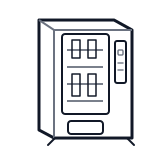
Start at the affected product shelf or selection row; compare the tray, coil, and product path with a nearby working selection.
- Maintains product temperature within specified range using a compressor-based forced-air cooling cycle.
- Compressor
- Condenser coil and fan
- Evaporator coil and fan
Do not open sealed-system or compressor areas unless a qualified refrigeration technician is handling the work.
cabinet drink control board generic
 spiral coil
 refrigeration bay
Parts status
Exact public parts list not verified yet. Use this route to identify the system before ordering.
Candidate areas for part verification
Other Possible Issues
Switch routes if this symptom is not the closest match.