

Display Cable and Connection Check
VendnetUSA VendnetUSA Vending
Display Cable and Connection Check
Checks display data cable and power connections when display shows partial or corrupted information.
Qualified technician handoff: stop before live electrical testing, sealed-system refrigeration work, compressor service, or protected-compartment access unless a qualified technician is handling the work.
- Display connector pins are bent or corroded: STOP. Do not force connector. Assess whether pins can be carefully straightened or if connector replacement is needed.
Checklist
Guided Diagnostic Steps
Work from low-risk checks toward technician-level inspection only when evidence supports it.
You can read or print the route now. The first checkbox click opens the service contact gate.
- 1
Verify Wall Outlet Power
technician-advancedlive-voltageUse an outlet tester or multimeter to confirm the wall outlet is providing correct voltage. Check that the outlet is not on a tripped GFCI or switched circuit.
Qualified technician handoff: stop before live electrical testing, sealed-system refrigeration work, compressor service, or protected-compartment access unless a qualified technician is handling the work.
Digital MultimeterOutlet TesterStop conditions- hot-to-ground voltage detected on outlet — do not plug machine in, contact facility electrician
Expected: Outlet tester shows correct wiring. Voltage reading matches facility spec. requiresFieldValidation for local voltage.
Evidence to note: meter-reading
Tools for this route
Location Help
Where to find this
Use this as orientation before touching the machine. It is location help, not a repair instruction.
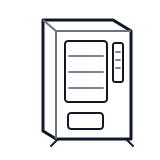
Start at the front door payment column; match the display, keypad, coin, bill, or card device to the symptom before opening deeper panels.
- Main logic board managing vend sequences, pricing, diagnostics, and communication with subsystems
- main controller board
- service mode button
- keypad interface
Do not open energized or protected electrical areas unless a qualified technician or licensed electrician is handling the work.
cabinet generic control board generic
 wiring harness
 payment column
Parts status
Exact public parts list not verified yet. Use this route to identify the system before ordering.
Candidate areas for part verification
Other Possible Issues
Switch routes if this symptom is not the closest match.